
OT Security Checklist: A Practical ICS and SCADA Checklist You Can Validate Without Disrupting Production
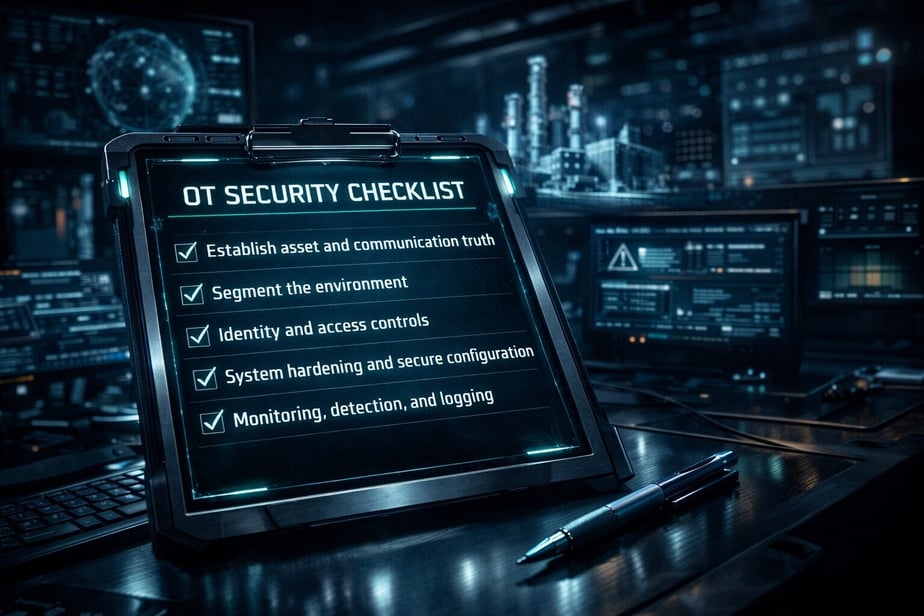
If you operate critical infrastructure, an OT security checklist cannot be a generic list of IT best practices. It needs to reflect how industrial environments fail: flat networks, legacy protocols, vendor remote access, brittle change windows, and safety constraints that make “just patch it” unrealistic. This post provides an OT security checklist industrial teams can apply to ICS and SCADA environments, plus a practical way to validate what is actually protected without touching production systems.
If you want a broader foundation, start with the Complete Guide to OT Security: Protecting Industrial Control Systems. If your immediate goal is testing, the OT Penetration Testing Checklist: Complete 2026 Guide maps common pre-work and constraints in OT. And if production risk has blocked assessments before, Why Traditional OT Security Assessments Risk Production Downtime explains why OT security validation often stalls and how to plan around it.
What this OT security checklist covers (and what it does not)
This is an informational OT security audit checklist focused on controls that reduce real attack paths in ICS and SCADA environments. It includes:
-
Preventive controls: segmentation, access, hardening, and secure remote access
-
Detective controls: logging, monitoring, and alerting that work with industrial protocols
-
Response and recovery controls: backup integrity, engineering workstation recovery, and safe response playbooks
-
Validation: how to verify the controls without disrupting production
It does not replace compliance or safety engineering, and it does not assume you can scan everything or patch on demand. Where relevant, the checklist aligns with typical expectations behind an IEC 62443 checklist, but it is written for implementers who need to prioritize and prove risk reduction.
Concise definition: OT security checklist vs. ICS security audit checklist
An OT security checklist is an operational control list used by engineering, OT security, and plant operations to reduce risk in environments that control physical processes. An ICS security audit checklist is typically more formal and evidence-driven, designed to show whether controls exist and are followed.
In practice, you need both:
-
The checklist to drive day-to-day hardening and prioritization
-
The audit view to produce artifacts (network diagrams, access reviews, configuration baselines, incident runbooks) that stand up to internal governance and regulator scrutiny
A useful industrial cybersecurity checklist also includes a validation step, meaning you prove the controls break real attack paths rather than only existing on paper.
Step 1: Establish asset and communication truth without breaking operations
Most OT security controls fail because teams are guessing about what is connected, what talks to what, and what would be impacted by a change. Before you judge control gaps, create a defensible baseline.
Checklist items:
1) Asset inventory by function and criticality
-
Identify control system tiers (enterprise, DMZ, site ops, control, safety) and map critical process units.
-
Record roles of assets: HMI, historian, engineering workstation, PLC, RTU, safety controller, domain services, jump hosts, remote access gateways.
-
Capture firmware/OS versions where feasible, noting vendor constraints.
2) Communication mapping (source, destination, protocol, purpose)
-
Document critical industrial protocols (for example Modbus, DNP3, S7, EtherNet/IP, OPC) and management protocols (RDP, SMB, SSH, SNMP).
-
Identify “should never happen” flows: Internet to control zone, enterprise user VLAN to PLCs, vendor VPN to safety systems.
3) Define the crown jewels
-
Highest-risk assets are not always PLCs. Often they are engineering workstations, historians, OT domain controllers, remote access gateways, and backup repositories.
Practical note: If you are blocked from active discovery, you can still build a high-confidence picture from switch configs, firewall logs, historian sources, remote access logs, and OT architecture documentation. That dataset also becomes input to safe security validation methods, including digital twins.
Step 2: Segment the environment to limit blast radius (the core OT security controls list)
Segmentation is the most consistently effective control in OT because it reduces the attacker’s ability to pivot from initial access to process control.
ICS security checklist items:
1) Zone and conduit model
-
Define zones aligned to operational function (enterprise, OT DMZ, site operations, control, safety).
-
Define conduits with explicit allowed flows. Everything else is denied by default where feasible.
2) OT DMZ design that actually mediates traffic
-
Place historians, patch staging, AV/EDR update relays, remote access brokers, and file transfer gateways in the DMZ.
-
Avoid dual-homed hosts bridging enterprise and control.
3) Control zone micro-segmentation (where realistic)
-
Separate engineering workstations from operator HMIs.
-
Separate safety systems from basic process control.
-
Restrict workstation-to-workstation SMB and RDP unless explicitly required.
4) Remote site and vendor segmentation
-
Terminate vendor remote access in the DMZ, not directly in the control zone.
-
Use jump hosts with session logging and just-in-time access.
Validation target: Confirm that a compromised corporate workstation cannot reach PLC management interfaces, engineering tooling ports, or safety networks. If you cannot validate safely on production, this is where digital twin testing is especially useful. For background, see How Digital Twins Enable Safe, Comprehensive OT Security Testing.
Step 3: Identity and access controls that work in plants (not just policy)
Identity in OT is messy: shared accounts, vendor defaults, and engineering tools that assume local admin. The goal is not perfection overnight, it is reducing the probability that one credential becomes plant-wide control.
OT security audit checklist items:
1) Access model by role
-
Operators, engineers, maintenance, vendors, IT administrators, and security each need distinct access paths.
-
Remove direct access from enterprise user workstations to control assets.
2) Privileged access for engineering workstations
-
Limit local admin and enforce strong authentication.
-
Separate daily use accounts from privileged engineering accounts.
3) Remote access controls
-
Enforce MFA for remote access termination points.
-
Use per-vendor accounts and time-bound access approvals.
-
Record sessions for high-risk activities (engineering downloads, controller logic changes).
4) Credential hygiene in the control environment
-
Eliminate shared passwords where possible.
-
Rotate vendor defaults and document exceptions with compensating controls.
Evidence to collect: current access paths, account lists, group memberships, remote access logs, and an approval workflow showing how elevated access is granted and revoked.
Step 4: System hardening and secure configuration baselines for ICS endpoints
Hardening in OT is often constrained by vendor support and uptime requirements. Focus on high-leverage changes that reduce remote execution and persistence.
Industrial control system security controls checklist:
1) Engineering workstation and HMI baselines
-
Remove unnecessary services.
-
Restrict scripting engines and macro execution where feasible.
-
Lock down USB and removable media policies with operational exceptions documented.
2) Application allowlisting (where possible)
-
Prioritize engineering workstations, jump hosts, and OT servers.
-
Ensure a change process exists for new binaries so operations are not blocked.
3) Patch and firmware strategy
-
Define patch tiers: urgent security patches, routine patches, and deferred patches.
-
Use test environments to validate compatibility. If you lack one, a digital twin can shorten the path to safe testing.
4) Secure backups and golden images
-
Maintain known-good images for engineering workstations and critical servers.
-
Protect backup repositories from the same domain trust and credential set that could be compromised.
Key outcome: You should be able to restore core OT functions without relying on a potentially compromised enterprise domain.
Step 5: Monitoring, detection, and logging tuned for OT reality
If you only deploy IT detection, you will miss OT-specific behaviors and drown in noise. The goal is to detect abnormal access to control functions and suspicious lateral movement.
SCADA security checklist items:
1) Network visibility at the right choke points
-
Monitor OT DMZ ingress/egress.
-
Monitor conduits into the control zone.
-
Add visibility around engineering workstations and controller management segments.
2) Protocol-aware detection use cases
-
New programming sessions to controllers
-
Writes to registers or setpoints outside normal schedules
-
Unauthorized firmware downloads
-
Remote admin protocols used from non-jump hosts
3) Centralized logging that is survivable
-
Ensure logs from remote access, jump hosts, firewalls, and key OT servers are centralized.
-
Protect the logging pipeline from common ransomware impact paths.
4) Alert triage and escalation paths
-
Define what operations expects security to do at 2 a.m. without shutting down the plant.
Evidence to collect: a short list of OT-specific detections, where they run, and who responds.
FAQs
Will OT security testing disrupt production?
It does not have to. Many traditional approaches require interacting with production systems, which introduces operational risk. A safer approach is to validate controls and attack paths using a digital twin of the industrial environment so you can run full-scope testing without touching live PLCs, HMIs, or safety systems.
Is this better than a traditional OT pentest?
It is complementary, and often more feasible for continuous assurance. A traditional pentest can be constrained by limited windows, safety restrictions, and reduced realism. Attack-path validation in a digital twin can test more scenarios more safely, then you can selectively confirm the highest-value items in production during approved windows if needed.
How long does an OT security assessment take?
It depends on environment size, data availability, and scope (single site vs. fleet, depth of segmentation review, remote access complexity). What typically drives timelines is how quickly the team can provide network and asset data, and how much validation is required. The key is planning around operational constraints rather than forcing disruptive testing.
Do we have the data needed to create a digital twin, or are we not mature enough?
Many organizations have enough data even if their inventories are imperfect. Common starting inputs include network diagrams, firewall rules, switch configurations, remote access configurations, endpoint lists, and selected traffic captures or logs. Gaps can be filled iteratively, and the twin can mature over time rather than requiring perfect documentation upfront.
What should we prioritize first if we can only do three things?
First, fix remote access so it terminates in the OT DMZ with MFA and audited jump-host access. Second, enforce segmentation that blocks enterprise-to-control pivots and limits lateral movement in the control zone. Third, protect engineering workstations with strong identity controls and hardening, since they are common gateways to controller changes.
Call to Action
If you want to turn this OT security checklist into validated evidence of risk reduction without disrupting production, request an OT Security Assessment from Frenos. You will receive a prioritized view of attack paths to your highest-risk assets and a remediation plan grounded in what your environment can realistically implement.